Usage
This page describes how to run Graph Hunter and use the main UI workflows.
Quick run
cd app
npm run tauri dev
Then in the app: create or select a session → Select Log File → choose a file (e.g. from demo_data/) → Auto-detect → load. Switch to Hunt Mode, build or select a hypothesis, and click Run.
Sessions
Sessions are separate workspaces; each has its own graph, path nodes, and notes.
Create a new session from the session selector (top bar); switch between sessions from the same dropdown.
Sessions are stored locally in your OS application data directory and persist between runs.
Use different sessions for different investigations or datasets.
Loading data
Open the left panel (Data / ingestion).
Create or select a session.
Choose Log format: Auto-detect (Recommended) or a specific format (Sysmon, Sentinel, Generic JSON, CSV).
Click Select Log File and pick a JSON, NDJSON, or CSV file.
After load, entity and relation counts update; you can load more files into the same session (data is merged).
For generic JSON or custom schemas, you can use Preview and configure field → entity type mapping before ingest.
Hunt mode
Switch to the Hunt tab (bottom panel).
Build a hypothesis either:
Visually: Add steps with the step builder (origin type → relation type → destination type), or
DSL: Type a chain, e.g.
User -[Auth]-> Host -[Execute]-> Process, and parse.
Optionally set a time window to restrict the hunt to a time range.
Click Run.
Results:
If paths ≤ 100: the graph shows the subgraph and highlighted paths.
If paths > 100: a Hunt results table appears; use it to paginate and View path to show a single path on the graph.
You can load a hypothesis from the ATT&CK catalog and then run or modify it.
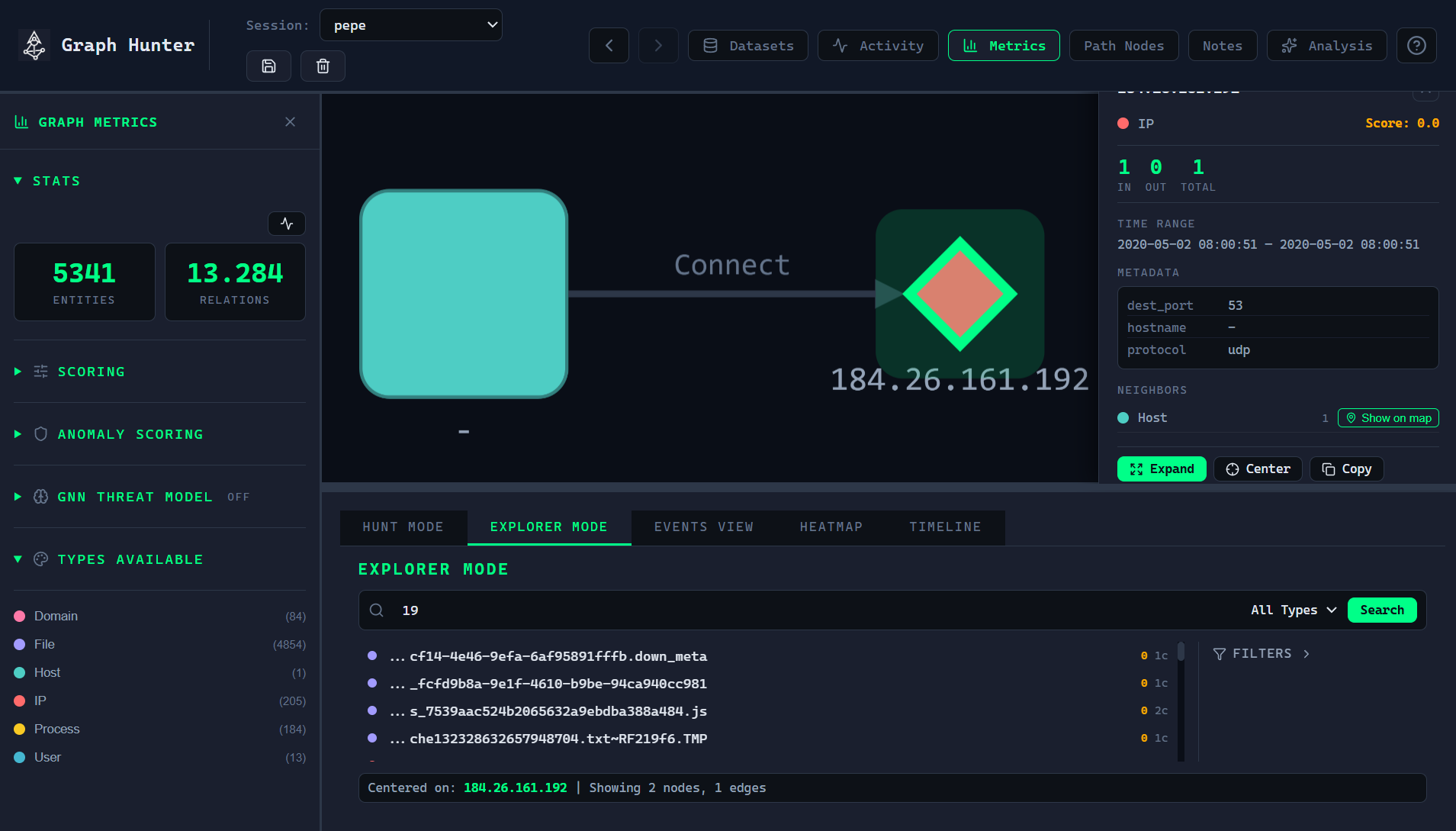
Explorer mode
Switch to the Explorer tab (bottom panel).
Search by IOC (e.g. IP, hostname, process name); matching nodes are listed.
Show neighbours: Pick a node and expand by All or By type to load its neighborhood onto the graph.
Double-click a node on the graph to expand it (Explorer mode).
Right-click a node for: Expand, Center, Copy ID, Add/Remove from Path Nodes, Show neighbours.
Other views
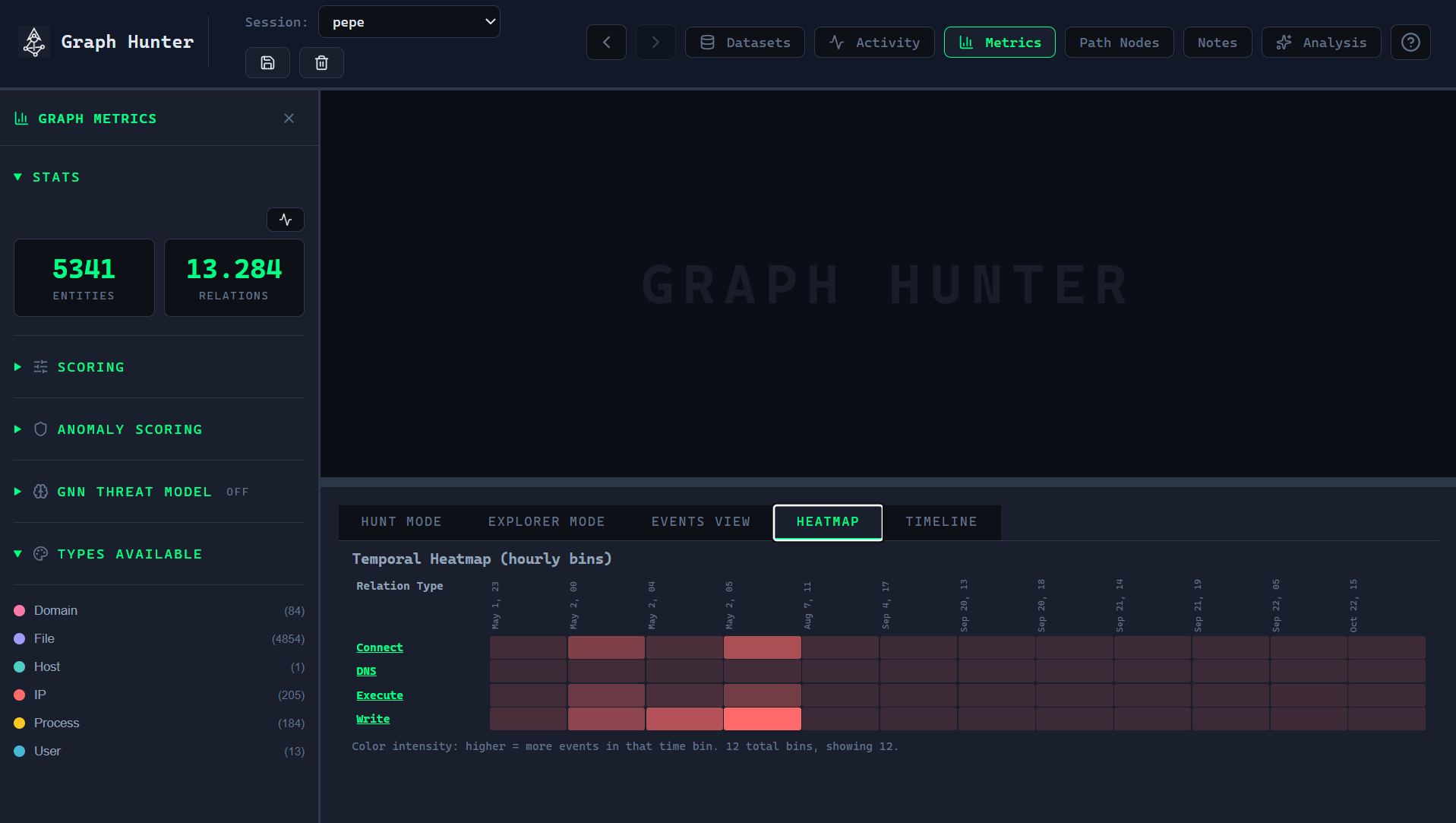
Events: Event list for the current graph or selection.
Heatmap: Entity/relation heatmap view.
Timeline: Temporal view of activity.
Path nodes and notes
Path nodes: Pin important nodes (e.g. from a hunt path) so they stay easy to find; list and focus from the Path Nodes sidebar.
Notes: Add free-form notes; they can be standalone or linked to a node. Open from the Notes toolbar button.