GNN Threat Scoring
Graph Hunter integrates GNN-based threat classification through ONNX models (e.g. exported from GraphOS-APT), bridging hypothesis-driven investigation with ML-based detection on the same graph.
How it works
During ingestion, the anomaly observer records entity/edge frequency and timestamps.
After finalize, rarity, neighborhood concentration, and temporal novelty are computed.
The GNN Bridge extracts a k-hop subgraph around each entity and encodes it into a fixed-size tensor (1536-dim) compatible with the ONNX model.
The NPU Scorer runs ONNX inference (DirectML/GPU or CPU); output is 5-class threat logits.
Threat score =
1 - P(Benign)after softmax; scores are injected into the anomaly scorer as weight W5.Hunt results are ranked by the composite score (W1–W5), so high-threat paths appear first.
Threat classes (ATT&CK-aligned)
Logit |
Threat class |
ATT&CK |
|---|---|---|
0 1 2 3 4 |
Benign Exfiltration C2 Beacon Lateral Movement Privilege Escalation |
Normal TA0010 TA0011 TA0008 TA0004 |
How it is used in the hunt
Path ranking — Results are ordered by composite anomaly score. Paths with higher GNN threat (and other components) appear first for triage.
Where you see it — The hunt results table and node tooltips show the GNN Threat component in the score breakdown when a model is loaded and scores have been computed. The W5 slider in the left panel (GNN Threat Model) controls how much ML contributes vs the other four heuristics.
Optional — GNN scoring is off by default (W5 = 0). Enable it by loading an ONNX model and clicking Compute Scores.
Value to threat hunting
Prioritization — High-threat paths (C2, lateral movement, privilege escalation, exfiltration) rise to the top, reducing manual sifting.
ATT&CK-aligned context — The 5-class output helps categorize and report findings by tactic.
Hybrid workflow — Combines your hypothesis-driven pattern matching with ML-based subgraph classification on the same graph.
UI workflow
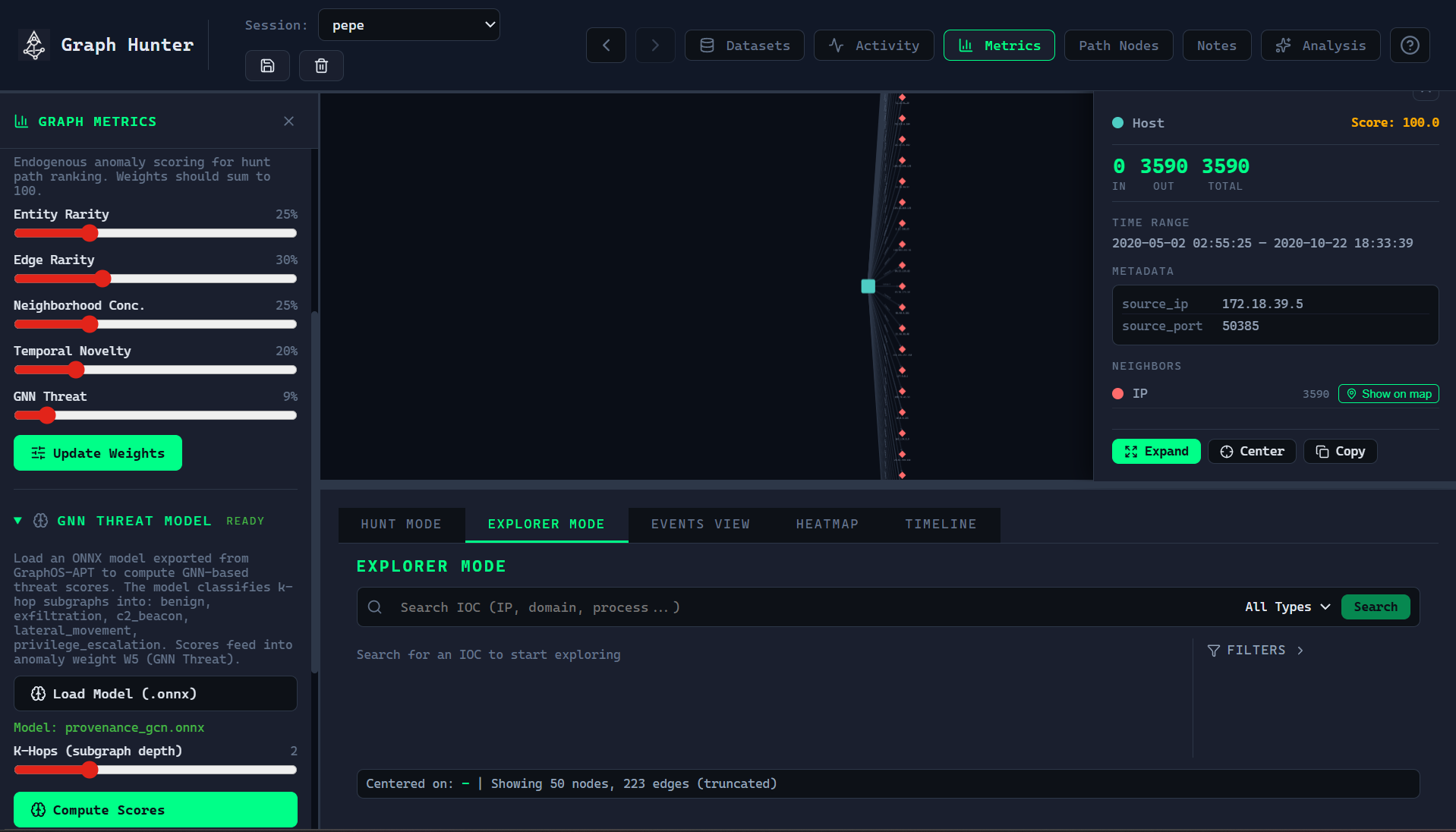
Open the GNN Threat Model section in the left panel.
Load an ONNX model (file dialog).
Enable Anomaly Scoring and set weights (W1–W5) as desired.
Set k-hop depth (1–5, default 2).
Click Compute Scores — batch inference runs on all entities.
Run a hunt; results are ranked with GNN-enhanced scores.
Pre-trained model (Hugging Face)
A pre-trained ONNX model for Graph Hunter GNN threat scoring is available at Hugging Face. Download the model and load it in the GNN Threat Model panel.
For training and exporting models, see the training/ README and docs/GNN_STRATEGY.md in the repository.