Hypothesis DSL & ATT&CK catalog
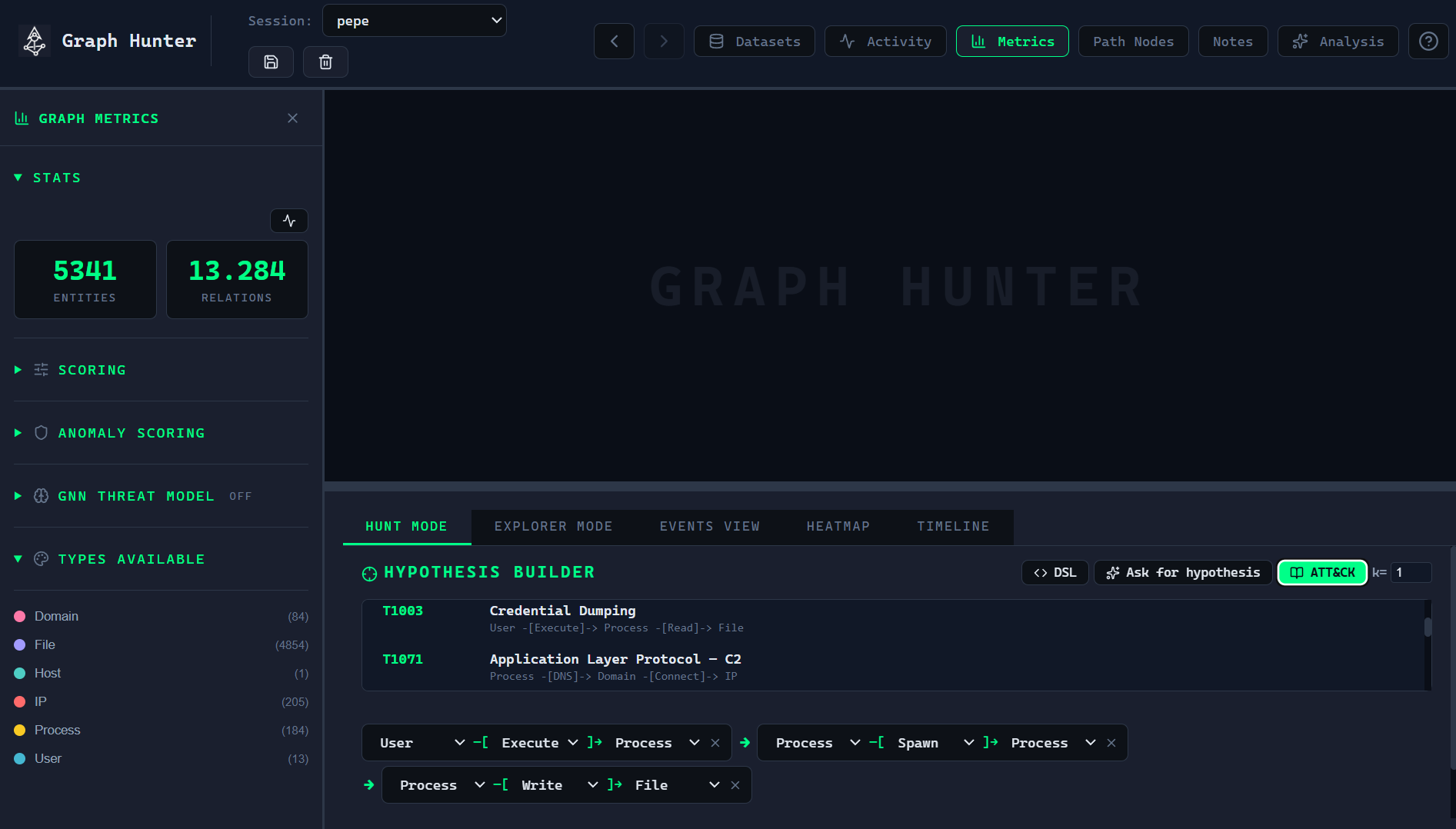
You can define hunt hypotheses with the visual step builder or the DSL (arrow-chain syntax). The ATT&CK catalog provides pre-built patterns mapped to MITRE ATT&CK techniques.
Hypothesis DSL
Syntax: chains of the form EntityType -[RelationType]-> EntityType ....
Entity types
IP, Host, User, Process, File, Domain, Registry, URL, Service, or * (wildcard: any entity type).
Relation types
Auth, Connect, Execute, Read, Write, DNS, Modify, Spawn, Delete, or * (wildcard: any relation type).
Examples
User -[Auth]-> Host -[Execute]-> Process
Process -[DNS]-> Domain -[Connect]-> IP
* -[Execute]-> Process -[Spawn]-> Process
User -[*]-> *
Wildcards (
*) match any entity or relation type at that step.The engine finds all paths that match the chain with causal monotonicity: each step occurs at or after the previous one in time.
Optional k-simplicity (e.g.
{k=2}) allows a vertex to appear up to k times in a path (default is 1, i.e. simple paths).
In the UI
In Hunt Mode, type a chain in the DSL input and use Parse (or equivalent) to load it as the current hypothesis.
The formatted hypothesis is shown; you can then set a time window and Run.
ATT&CK hypothesis catalog
The catalog includes pre-built hypotheses mapped to MITRE ATT&CK. Examples:
Name |
MITRE ID |
Pattern (DSL) |
|---|---|---|
Valid Accounts — Lateral Auth |
T1078 |
|
PowerShell Execution |
T1059.001 |
|
RDP Lateral Movement |
T1021.001 |
|
Credential Dumping |
T1003 |
|
Application Layer Protocol — C2 |
T1071 |
|
In the app, open the catalog from Hunt Mode and load a hypothesis with one click; you can then run it as-is or edit steps and run.
Time window
When running a hunt, you can restrict the search to a time range (start and end timestamps). Only relations within that window are considered, so you can focus on a specific phase of an attack or reduce noise.